What is Terraform
Terraform is a Infrastructure as a Code solution that allows provisioning of resources within the cloud. It can be AWS, Google, Azure and any other ones.
Benefits of Terraform
- It is a great tool for versioning, deploying and changing the infrastructure of your cloud safely and efficiently
- It is compatible with many cloud providers and services
- It allows you to reuse templates
Terraform Architecture
Terraform has “Terraform Core” which takes the configuration files, terraform state and it figures out how to apply changes and ensure it matches what we want to do. To achieve that, it uses Terraform Providers.
Terraform also uses Terraform State Files which have information about the current state of your resources. Terraform also has a concept of Local Backend and Remote Backend which essentially mean that state is either stored locally or remotely.
Example of Terraform File
How to use Terraform CLI
terraform init - Initialises terraform and creates a terraform state file within it
terraform plan - Shows me what will change or what will be created
terrafirn deploy - it will deploy and apply all changes/create resources
terraform destroy - It destroys all resources
What happens when you run init
On init, Terraform downloads the provider that is defined from Terraform registry and puts it in providers directory. It also creates a lock file that contains all information about dependencies and providers.
What happens when you run plan
it compares the state with what you currently have in your terraform files
What happens when you run apply
It shows you what plan would show you, asks you whether you want to apply changes and then it does this
What happens when you run destroy
on destroy, terraform destroys all resources.
IAM Roles
-
RDSFullAccess to provision DB
-
EC2 FullAccess to provision EC2 instance
-
IAMFullAccess to be able to provision some policies
-
AmazonS3FullACcess to have acess to S3
-
AmazonDynamodbfullaccess to create dynamodb tables
-
AmazonRoute53fullaccess to have access to Route53 (DNS)
Difference between variable.tf and *.tfvars
variable.tf is where all vars are declared and it may or may not have default value. *tfvars is where variables have a value assigned
data
data allows me to reference existing resources in AWS
data "aws_vpc" "defaout_vpc" {
	default = true
}
Variables
in Terraform, there are 2 types of variables:
Input Variables
Input Variables that can be called with var.<name>
   variable "aws_profile" {
	   description = "aws profile"
	   type = string
	   default = "my_profile"
   }
Those you will be able to specify when you run terraform apply
Setting Input Variables
There’s a specific order in which you can specify input variables
- Manual entry during plan/apply
- Default value in declaration block
- TF_VAR_{name} env var
- terraform.tfvars file
- *.auto.tfvars file
- Command line -var or -var-file (-var should probably be stored in github secrets or AWS equivalent of that)
Types
Primivite
- string
- number
- bool
Complex
- list(type)
- set(type)
- map(type)
- object({attrName = type})
- tuple([type])
Sensitive Variables
Sensitive data such as passwords to a DB should not be stored as a hardcoded value but should be passed in runtime by using some kind of secrets manager. Also, to make sure that those won’t be outputted in a terminal, when defining the variable, you have to specify sensitive = true
variable db_pass {
	type = string
	sensitive = true
}
Local Variables
Those are scoped within a function and they should be used when you have to repeat yourself multiple times within that function
locals {
	service_name = "My Service"
	owner = "DevOps Dir"
}
Output Variables
These are used to give an output of what has been created. It can be an instance of an IP when instantiating EC2 etc.
output "instance_up_addr" {
	value = aws_instance.instance.public.ip
}
Project Organisation and Modules
Module
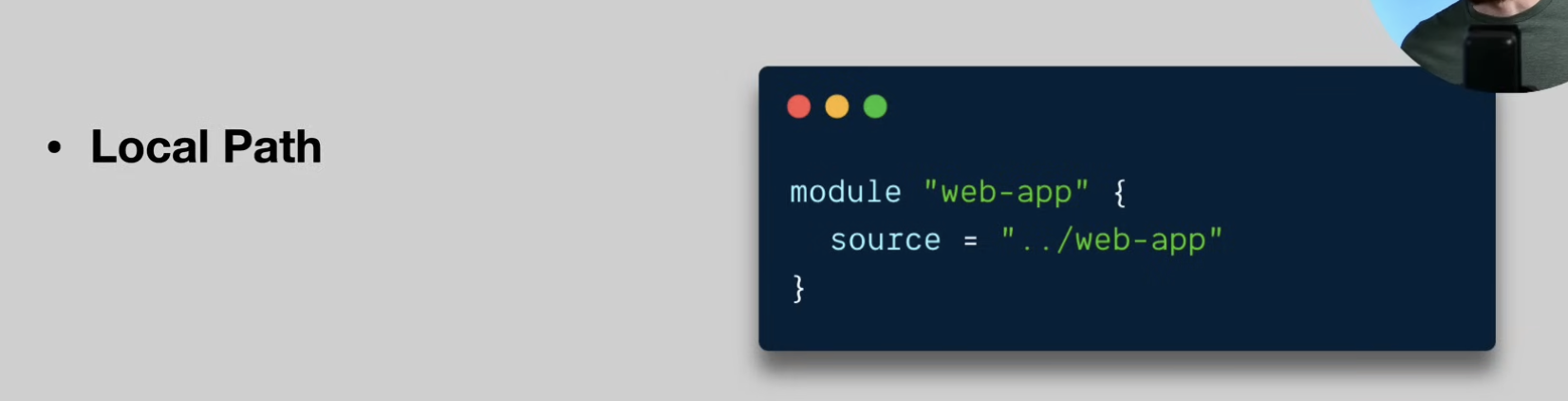
Module is a “container” for multiple resources. It can consist of a few .tf files. It is a way to package and reuse configs with Terraform.
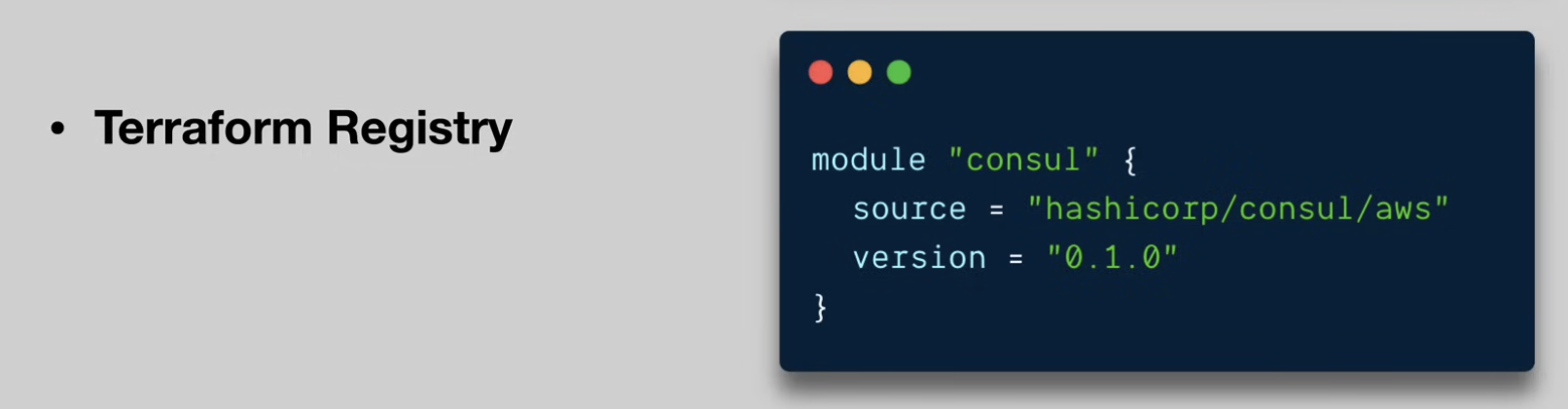
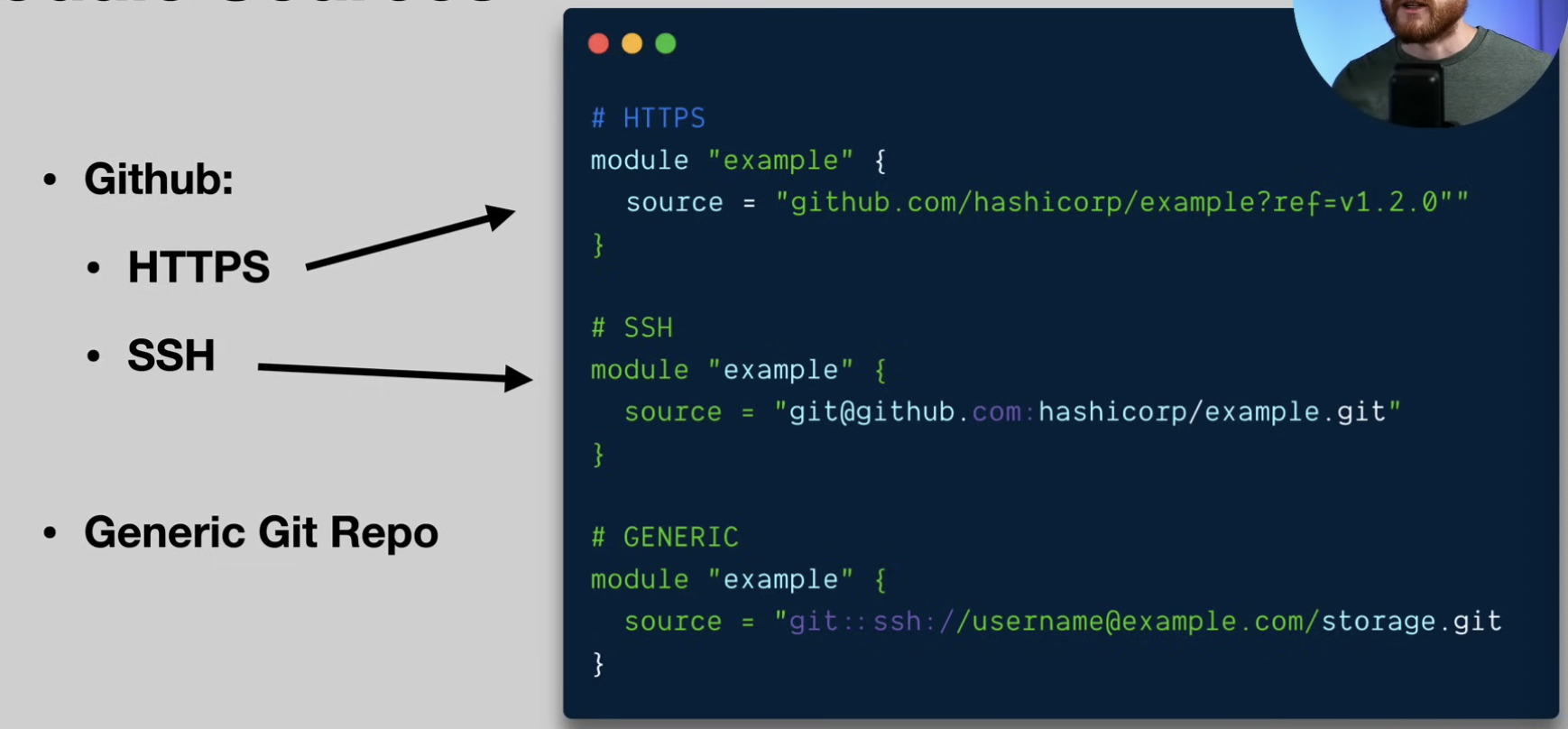
Types of Modules
How to create a good module
-
Raises the abstraction level from the base resource types
-
Groups resources in a logical fasion
-
Exposes input vars to allow necessary customisation and composition
-
Add useful defaults
-
Return outputs to make further integrations possible
Deployment to multiple environments
There are always situations where you need to deploy an app to multiple environments (prod, dev, staging etc.). For that reason you can use two approaches
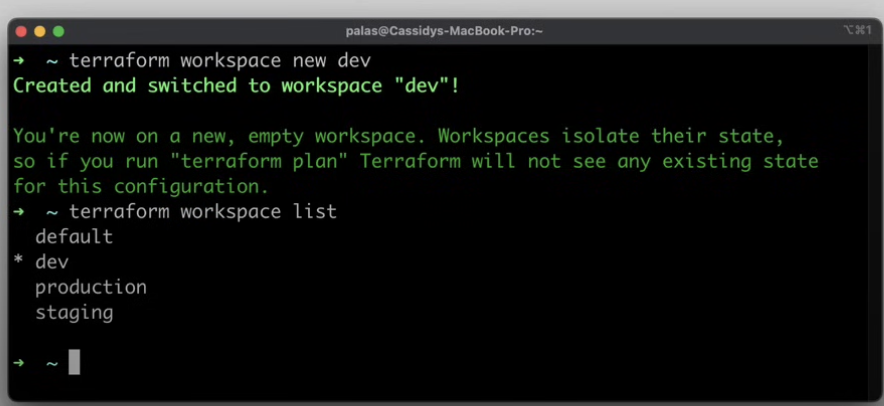
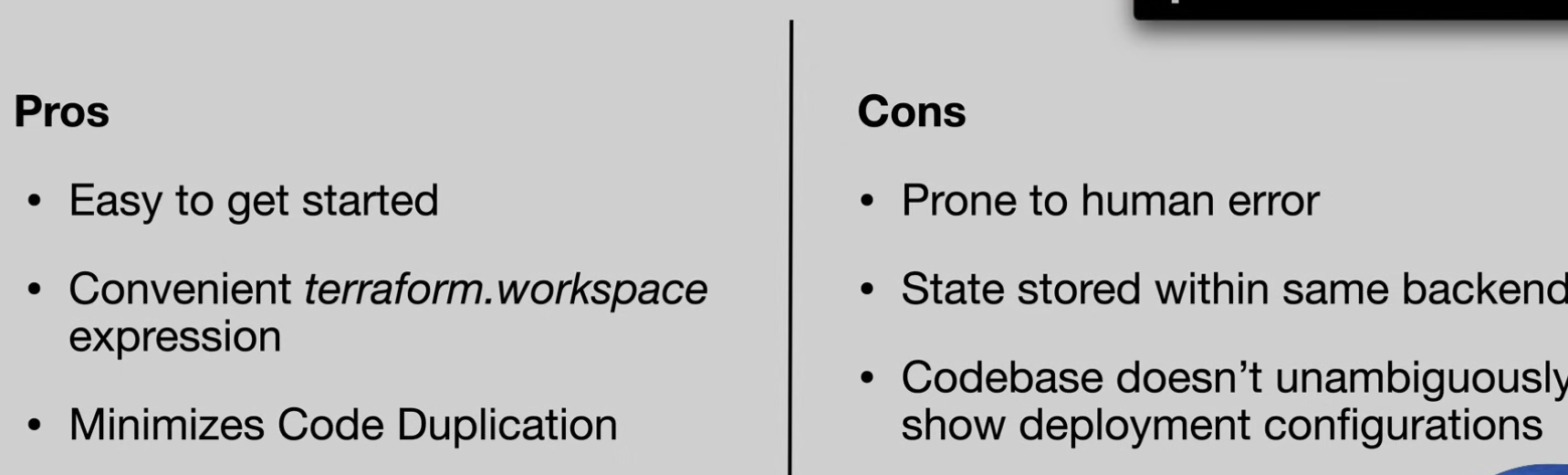
Workspaces
Workspaces are named sections within a single backend
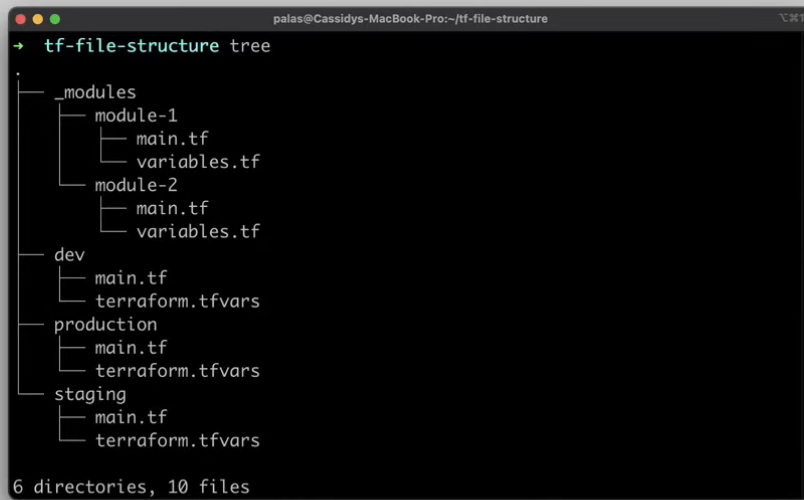
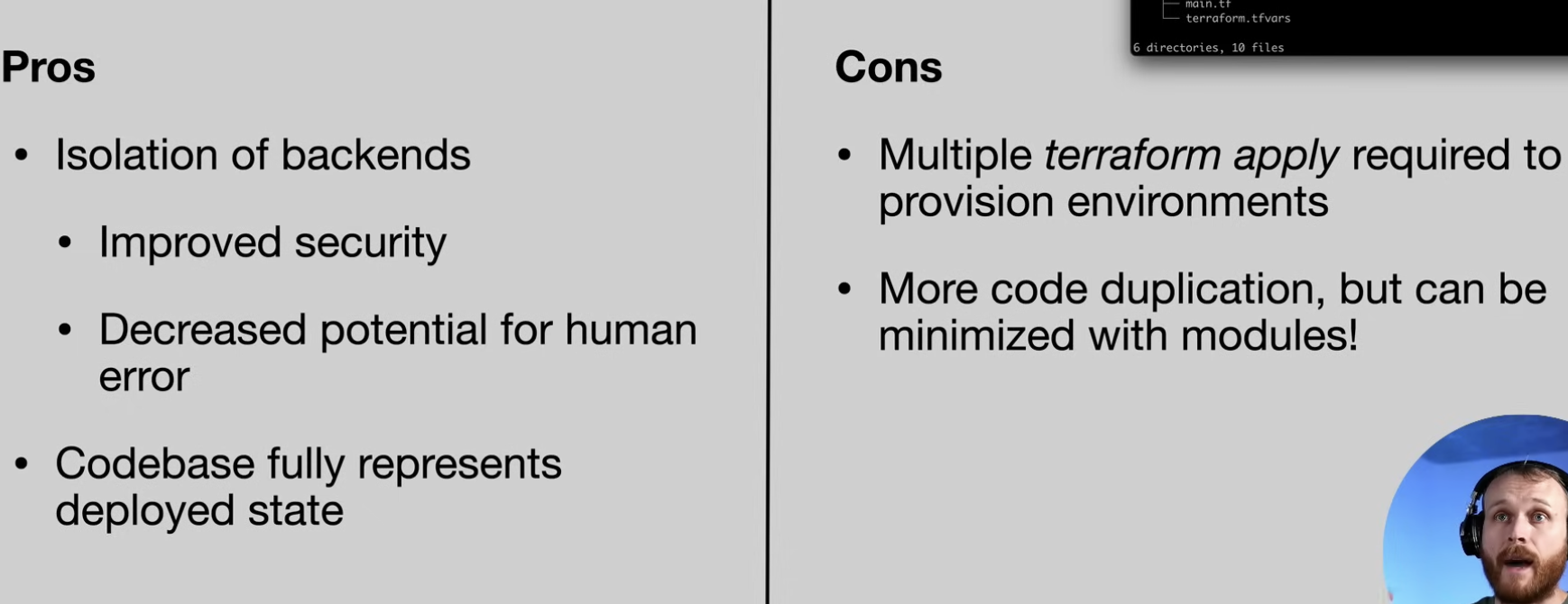
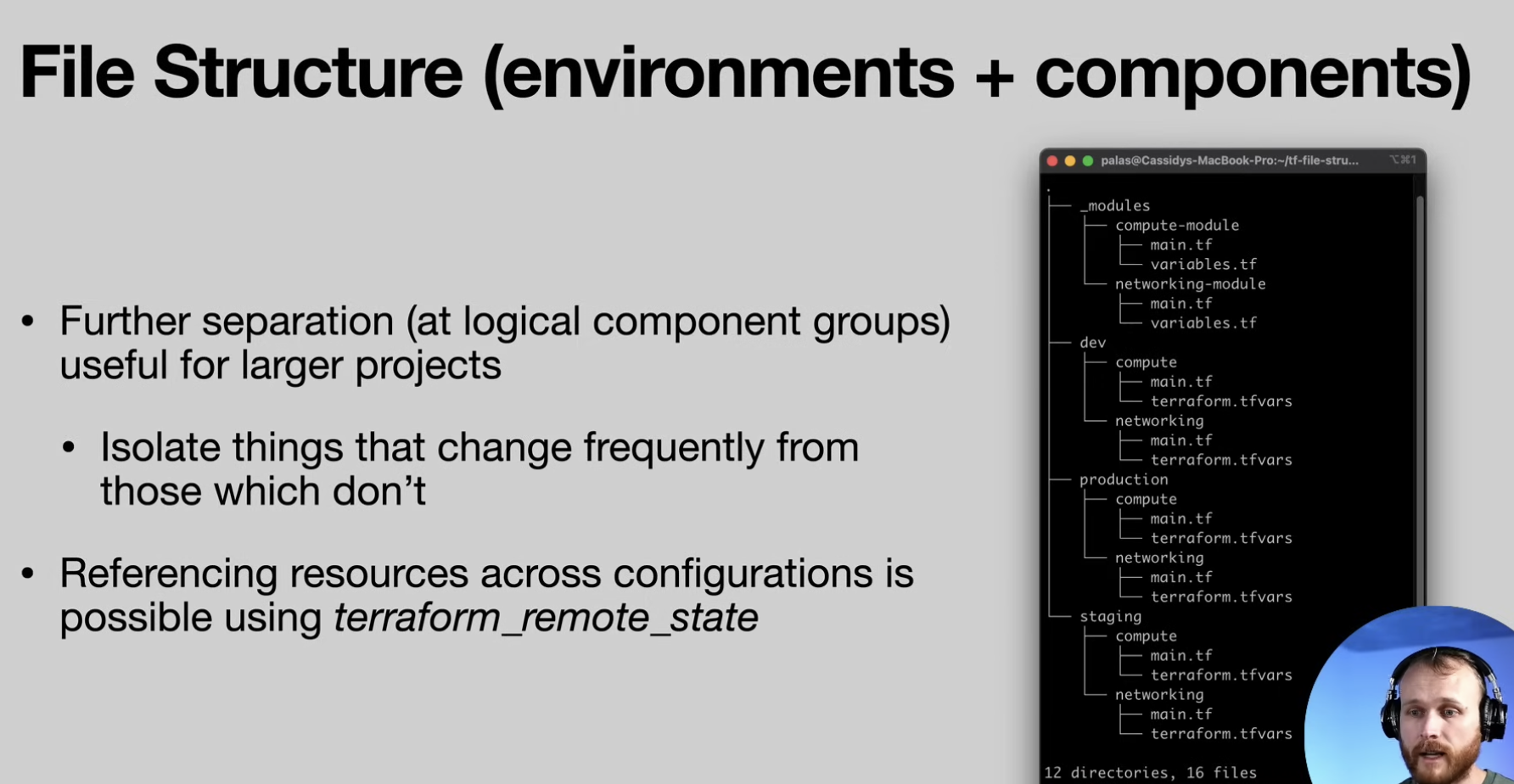
File Structure
Directory layout with a use of modules
Guides
How to create Remote Backend with S3 and DynamoDB with Terraform
How to conditionally create a resource with Terraform