It is a connecting element that connects two different nodes. It uses an svg to draw a line on a [[React Flow Viewport]|viewport]. There are various types of Edges
- Bezier
- Smoothstep
- Step
- Straight
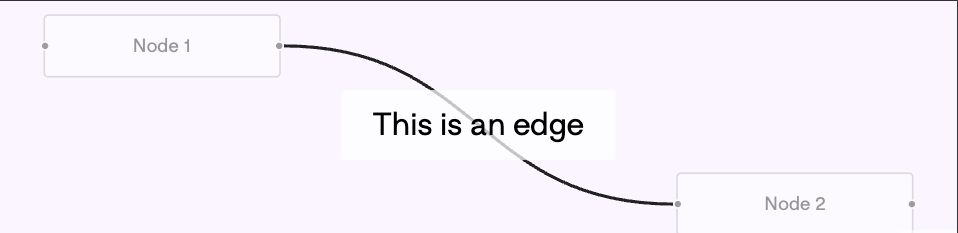
Building Custom Edges.
You can build custom edges and add React components to it.
The most common use cases for custom edges:
- Button to remove an edge
- Custom routing behaviour
- Styling that cannot be solved with SVG.
Warning
When using custom edges, you have to give them a name/id. Otherwise, it won’t work.
Example
// customEdge.tsx
import {
	BaseEdge,
	Edge,
	EdgeLabelRenderer,
	EdgeProps,
	getSimpleBezierPath,
	useReactFlow,
} from '@xyflow/react';

export type CustomEdge = Edge<{ label: string }, 'custom-edge'>;

export function CustomEdge({
	id,
	sourceX,
	sourceY,
	targetX,
	targetY,
}: EdgeProps<CustomEdge>) {
	const { setEdges } = useReactFlow();
	const [edgePath, labelX, labelY] = getSimpleBezierPath({
		sourceX,
		sourceY,
		targetX,
		targetY,
	});

	return (
		<>
			<BaseEdge id={id} path={edgePath} />
			<EdgeLabelRenderer>
				<button
					className={`bg-red-600 px-3 py-1.5 rounded text-white nodrag nopan`}
					style={{
						position: 'absolute',
						transform: `translate(-50%, -50%) translate(${labelX}px, ${labelY}px)`,
						pointerEvents: 'all',
					}}
					onClick={() => setEdges((edges) => edges.filter((e) => e.id !== id))}
				>
					Delete
				</button>
			</EdgeLabelRenderer>
		</>
	);
}

// types.ts
import { BuiltInEdge } from '@xyflow/react';
import { CustomEdge as CE } from './customEdge';

type CustomEdge = CE;
export type AppEdge = BuiltInEdge | CustomEdge;

// index.ts
import type { Edge, EdgeTypes } from '@xyflow/react';
import { CustomEdge } from './customEdge';

export const edgeTypes = {
	'custom-edge': CustomEdge,
	// Add your custom edge types here!
} satisfies EdgeTypes;

// App.tsx
const initialEdges: AppEdge[] = [
	{
		id: 'e1-2',
		source: 'node-1',
		target: 'node-2',
		label: 'Dupa?',
		type: 'custom-edge',
	},
];```